

App Infrastructure Study

This image highlights app infrastructure planning focused on user flows, content structure, scalable architecture, and improving overall UX performance.
Let’s be real, most apps don’t fail because of one big dramatic issue. They fail because of small infrastructure cracks that keep piling up:
Your users might say things like:
- “I can’t find it.”
- “Where did that option go?”
- “This feels messy now.”
- “It worked last month, now it’s confusing.”
You see it in patterns:
- New features launch, but hardly anyone uses them.
- Categories keep growing, and users stop exploring.
- People take strange routes for basic tasks.
- Drop-offs rise in places that used to work fine.
- Support tickets repeat the same “can’t find this” problem.
When these patterns show up, your application infrastructure and information architecture are usually out of sync with how users think and move.
Why this happens
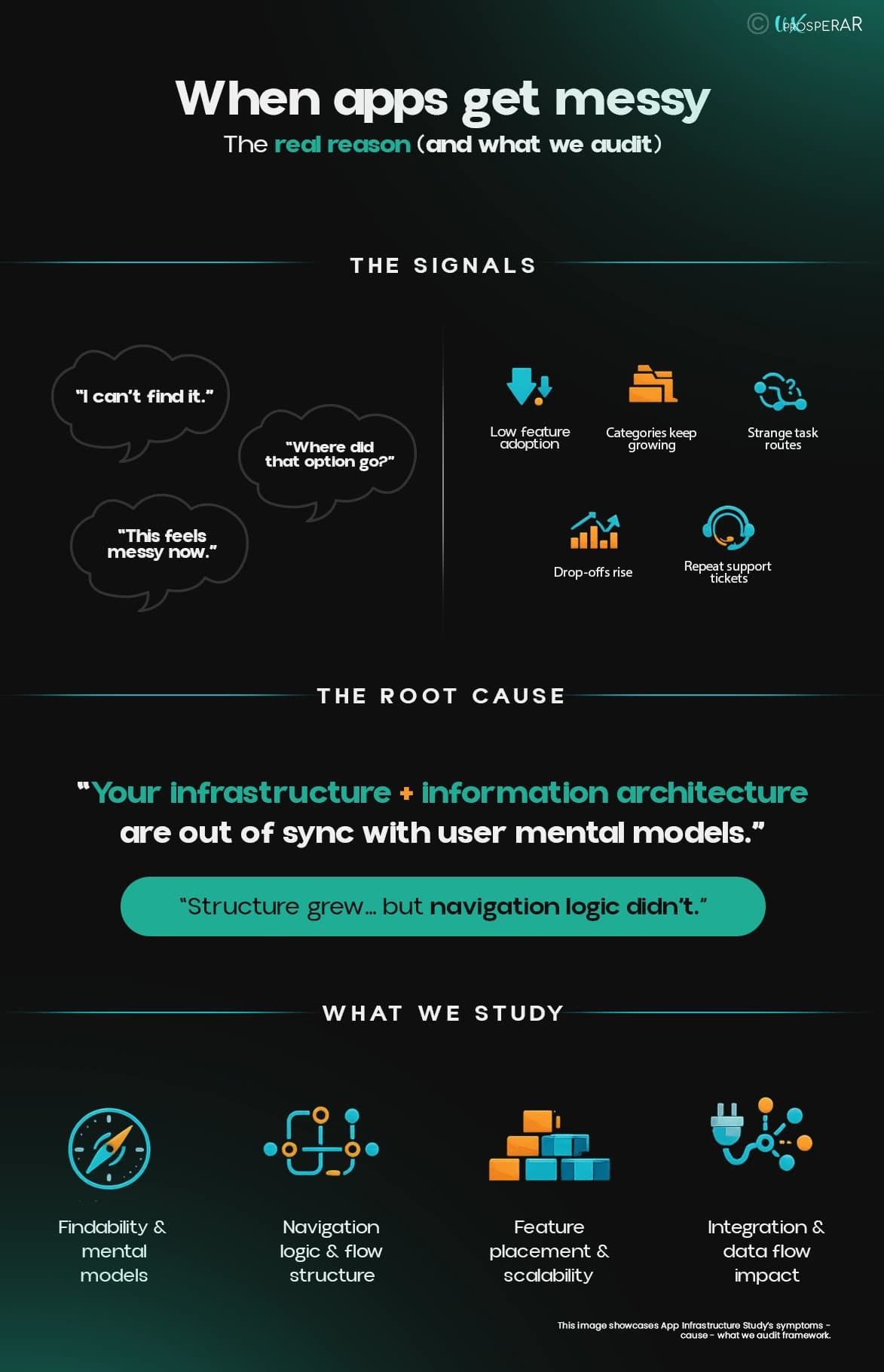
This image showcases App Infrastructure Study’s symptoms - cause - what we audit framework.
Apps do not become confusing overnight. They become confusing when the structure grows without a clear plan.
Teams add features fast, but do not always redesign the structure that holds them. So new flows end up wherever there is space. Navigation becomes a patchwork. Categories lose meaning. Users stop trusting the app because they cannot predict where anything lives.
This is not a styling issue. It is a mobile application infrastructure and architecture logic issue.
What this service actually fixes
UX Prosperar’s App Infrastructure Study fixes the logic underneath your UX.
It helps you:
- Build a structure users can predict and follow.
- Place new features where people naturally look for them.
- Keep the app clean today and still ready for tomorrow.
- Reduce repeated fixes caused by structural weakness.
Think of it as app infrastructure analysis driven by real user behaviour.
What we study
1. Findability and user mental models
What users feel
They cannot find things where they expect them to be.
Why it happens
Your categories and labels match internal logic, not user logic.
What we check
- Where users look first for key tasks.
- How they naturally group content and services.
- Which labels make sense to them, and which feel unclear?
Simple examples that normal users relate to:
Food delivery app
A user wants to reorder last week’s meal. They look for Orders or History inside Profile or the bottom menu because that is where every food app places it. If your app hides it under something uncommon like My Favourites, they assume it is missing and leave.
Shopping app adding a new feature
A fashion app adds Try Before You Buy. Users expect this option within individual product pages before adding items to the cart because that’s where purchase decisions happen.,
If the feature is placed as a separate tab called AI Trial in the main menu, it becomes a completely separate journey. The feature feels underused, not because it’s bad, but because it’s misplaced.
Salon services app
A salon app starts with five simple categories. Over time, new services like IV drips get added. If they keep getting pushed into random subcategories or dumped under Other, users open Services and see a confusing list. They book what they already know or exit.
To validate this layer, we may use card sorting. It is a research method where participants group and label items in a way that makes sense to them. This helps create an information architecture that matches user logic instead of internal assumptions.
2. Navigation logic and flow structure
What users feel
Journeys feel stitched together. Tasks take too many steps. People backtrack.
Why it happens
Flows were added in phases without rebalancing the structure.
What we check
- Navigation depth and where key journeys start.
- Detours users are forced to take.
- Duplicate or overlapping categories that confuse the choice.
- Hidden pages that users reach only by accident.
A simple everyday example:
In a banking app, a user wants to update their address. They expect it in Profile or Settings. If it sits under Support or Documents, they assume the app cannot do it and call customer care instead. From the business side, it looks like users prefer calling. From the user side, the structure just hid the right path.
3. New feature placement and scalability
What users feel
A new feature exists, but it feels invisible.
Why it happens
There is no planned slot for future sections, so features get dropped into random places.
What we check
- Where future sections will live inside the current structure.
- Whether adding a sixth or seventh section will still feel natural to users.
- If your minimum viable product (MVP) layout already prepares users for expansion.
A practical rule we test
If your minimum viable product (MVP) has five sections today, adding section six should feel normal without adding a new menu or messy labels. If it does not, your architecture is not scalable yet.
This is what application scalability and mobile app scalability mean in real terms.
4. Integration and data flow that affects UX
What users feel
Actions fail inconsistently. Results feel unreliable. Trust drops.
Why it happens
System handoffs and data dependencies interrupt journeys.
What we check
- Where integrations create delays or missing feedback.
- Screens that depend on unstable data pulls.
- Handoff points that trigger user confusion.
If your product already uses infrastructure monitoring or application and network monitoring, we look at those signals alongside real user friction to connect system behaviour with experience impact.
How we do it
1. Alignment session
We set scope with product and engineering so we know which journeys matter most and what growth plans are coming next.
2. Structure and journey mapping
We map your current navigation, categories, and key flows. This reveals where logic holds and where it breaks.
3. User path and findability review
We study how real users navigate and what they expect to find where. Card sorting may be used here when categories or labels need validation.
4. Root cause diagnosis
We connect user friction back to the structural cause. This is where surface issues turn into clear architecture fixes
4. Prioritised direction
We group improvements into what to fix first, what to restructure next, and what to plan for future expansion.
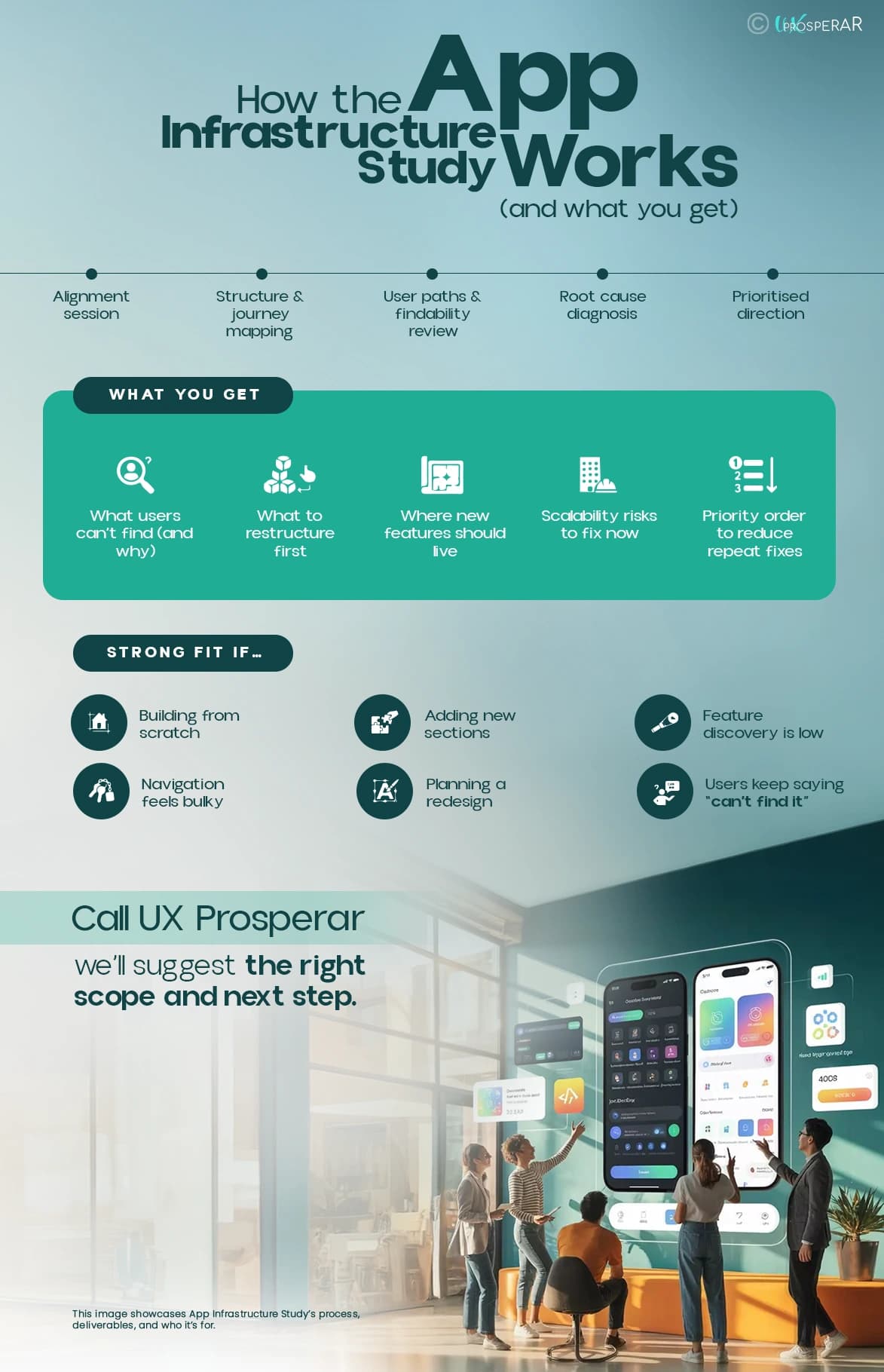
This image showcases App Infrastructure Study’s process, deliverables, and who it’s for.
What you get out of it
You get a clear path your users can follow to complete steps on your app or website, not a vague overview.
Expect:
- A clear view of what users cannot find and why.
- Which categories or flows need restructuring first?
- Where new features should live so they are discoverable.
- Structural risks that will slow growth later.
- A priority order that reduces repeat fixes and waste.
We keep outputs generic in format, but specific in direction.
Who this is for
This study is a strong fit if:
- You are starting to design your app or website, especially from scratch
- You are adding new sections or services regularly.
- Feature discovery is low even when the feature is good.
- Navigation feels bulky or unpredictable.
- You are planning a redesign and want to fix the structure first.
- Users keep saying they cannot find what they need.
Why UX Prosperar
UX Prosperar brings research-led and strategic UX and CX expertise into app infrastructure design and analysis.
With 16 plus years of experience, 1200 plus projects completed, 100 plus brands served, and four plus awards, we focus on building structures that users actually understand, not structures that only look neat in a roadmap.
We work across your new product design or current MVP while keeping growth in view, so the app stays logical now and scalable later.
Call UX Prosperar
If your app is being designed from scratch, adding features, or losing users because the structure is getting messy, an App Infrastructure Study will help you stabilise it before small cracks turn into expensive problems.
Call UX Prosperar and tell us what you are building or scaling. We will suggest the right scope and next step.