

Competitor Analysis
This image showcases competitor analysis through UX research, behavior comparison, and data visualization to understand user expectations and improve digital experiences.
A UX and CX led analysis of how competing products shape user expectations and behaviour
Competitor Analysis at UX Prosperar is a structured UX and CX research service that examines how competing products handle the same user tasks, and what those experience differences teach users to expect when they come to your product.
Most competitor analysis begins with features, pricing, and surface-level comparisons. These are important reference points. However, on their own, they rarely explain why users hesitate, struggle, or abandon tasks, even when functionality appears similar.
At UX Prosperar, Competitor Analysis goes beyond feature and pricing comparison to focus on experience behaviour,how users move, decide, recover from mistakes, and complete tasks across products,and what those patterns mean for real design and product decisions.
Why feature-based comparison alone is not enough
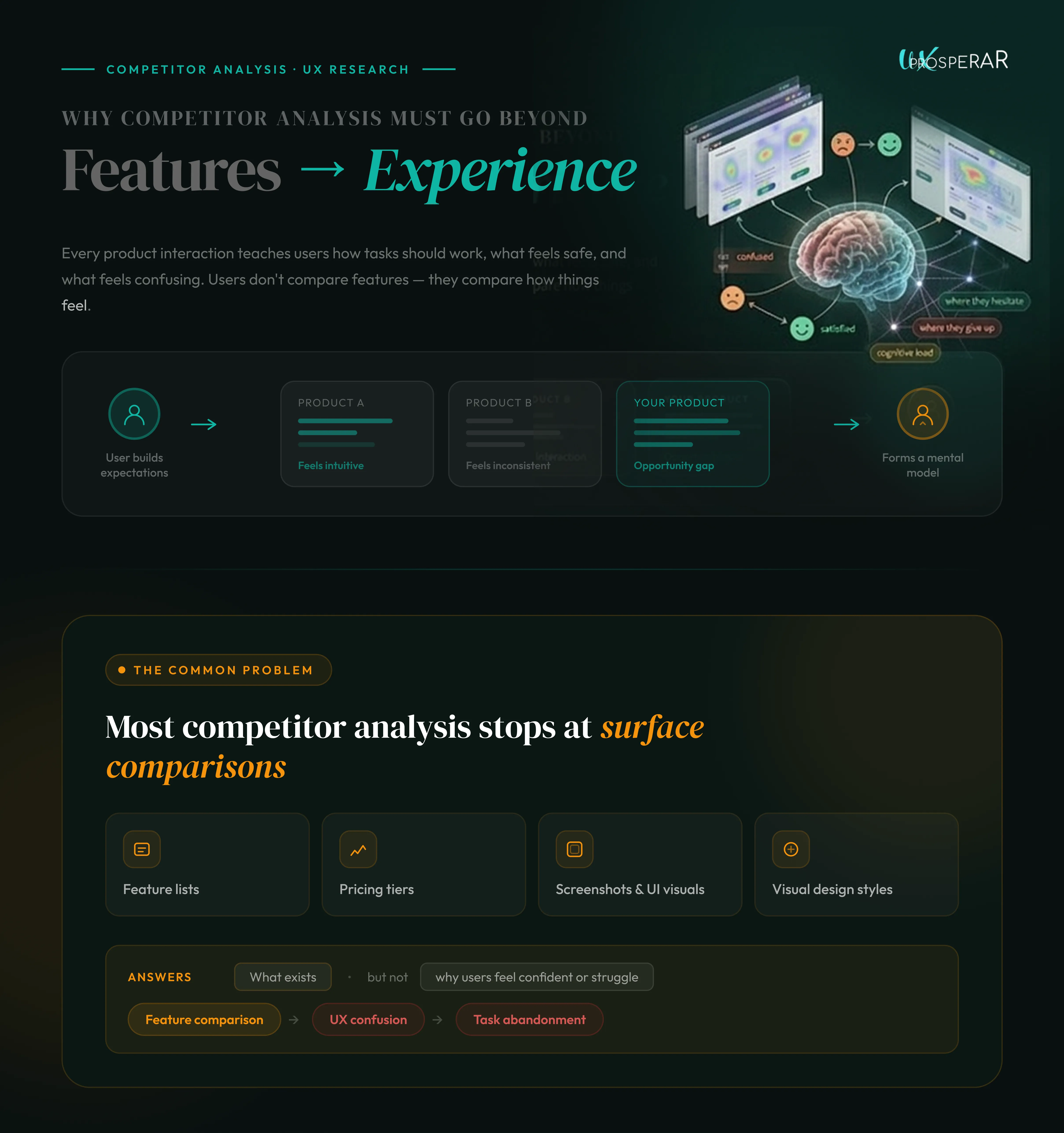
This image explains how competitor analysis should focus on user experience, behavior, and usability instead of only comparing features and visuals.
Feature and pricing comparison is a necessary starting point. Teams need to understand:
- what competitors offer
- how pricing tiers are structured
- which features are included or gated
- how products are positioned on the surface
However, these lists mainly answer what exists, not:
- why users feel more confident in one product
- why some flows feel easier despite being longer
- why users forgive friction in one experience but not another
UX problems rarely come from missing features alone. They come from how features are structured, revealed, sequenced, and supported during real tasks.
Competitor Analysis exists to uncover those differences, so feature and pricing insights are grounded in how users actually experience them, not just how they are presented.
How UX Prosperar conducts Competitor Analysis
This service is built on six UX research methods, applied together to produce usable insight,not a comparison deck.
1. Task-based experience flow comparison
We start by identifying core user tasks that matter to your product, such as:
- onboarding
- searching or browsing
- configuration or setup
- checkout or submission
- error recovery
We then walk through the same task across your product and competitor products, step by step.
For example:
- How many decisions does a user make before completing signup?
- Where is guidance provided versus assumed?
- When does the system explain what happens next?
A competitor may take more steps but feel easier because each step answers one clear question. Your flow may be shorter but feel risky because users are asked to commit without enough context.
This method helps teams understand effort versus clarity, not just speed.
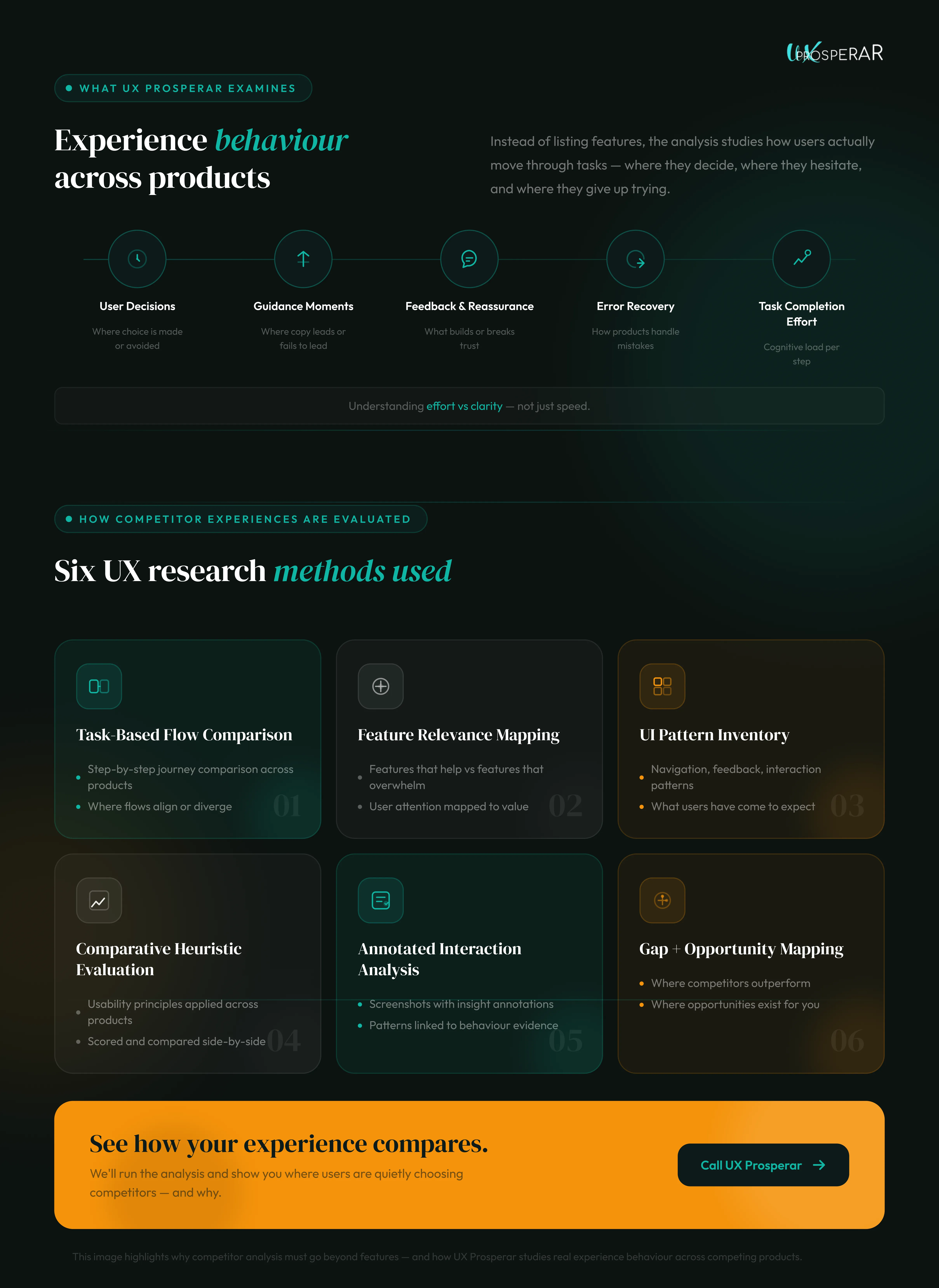
The image highlights why competitor analysis must go beyond features - and how UX Prosperar studies real experience behaviour across competing products.
2. Comparative feature relevance mapping
Instead of listing features, we map how features support or interrupt user goals.
For instance:
- Two products may both offer “advanced filters”
- In one product, filters appear when users need them
- In another, they are exposed upfront, increasing cognitive load
Feature relevance mapping helps teams see:
Everyday example
- which features genuinely help users move forward
- which features distract or overwhelm
- where competitors simplify decision-making better
This directly informs what to prioritise, simplify, or defer.
3. UI pattern inventory and expectation analysis
Users build expectations from repeated exposure to patterns across products.
We catalogue patterns such as:
- navigation placement
- filtering behaviour
- confirmation and feedback
- error handling
- progressive disclosure
For example:
- If competitors confirm destructive actions clearly, users expect reassurance
- If competitors group related settings, users expect predictability
- When your product breaks these patterns, users hesitate,even if the design is intentional
This method helps teams decide where consistency matters more than differentiation, and where deviation creates unnecessary friction.
4. Comparative heuristic evaluation
We evaluate your product and competitors against UX heuristics such as:
- visibility of system status
- consistency
- error prevention
- clarity of feedback
- recognition over recall
The value here is not scoring, but comparison.
For example:
- A competitor may outperform on error recovery.
- Your product may excel in clarity but lag in feedback
- These differences explain why users tolerate issues in one product but not another.
This method helps teams pinpoint experience weaknesses that are invisible in isolation.
5. Annotated artefact analysis (screens and interactions)
Screenshots and recordings are captured across competitor journeys, but they are never treated as the output.
They are annotated to explain:
- where users are likely to hesitate
- what information is missing or delayed
- how visual hierarchy guides or misguides decisions
- where feedback reassures or creates doubt
This creates shared evidence that aligns design, product, and engineering teams around the same experience reality.
6. Gap and opportunity mapping
Finally, insights from flows, features, patterns, and heuristics are brought together to identify:
- where competitor experiences outperform yours
- where competitors fail and users compensate
- where your product can improve without copying
For example:
- A competitor may simplify onboarding by deferring complexity
- Your product may excel in clarity but lag in feedback
Gap mapping helps teams decide:
- what to adopt
- what to adapt
- what to deliberately avoid
This turns comparison into direction, not imitation.
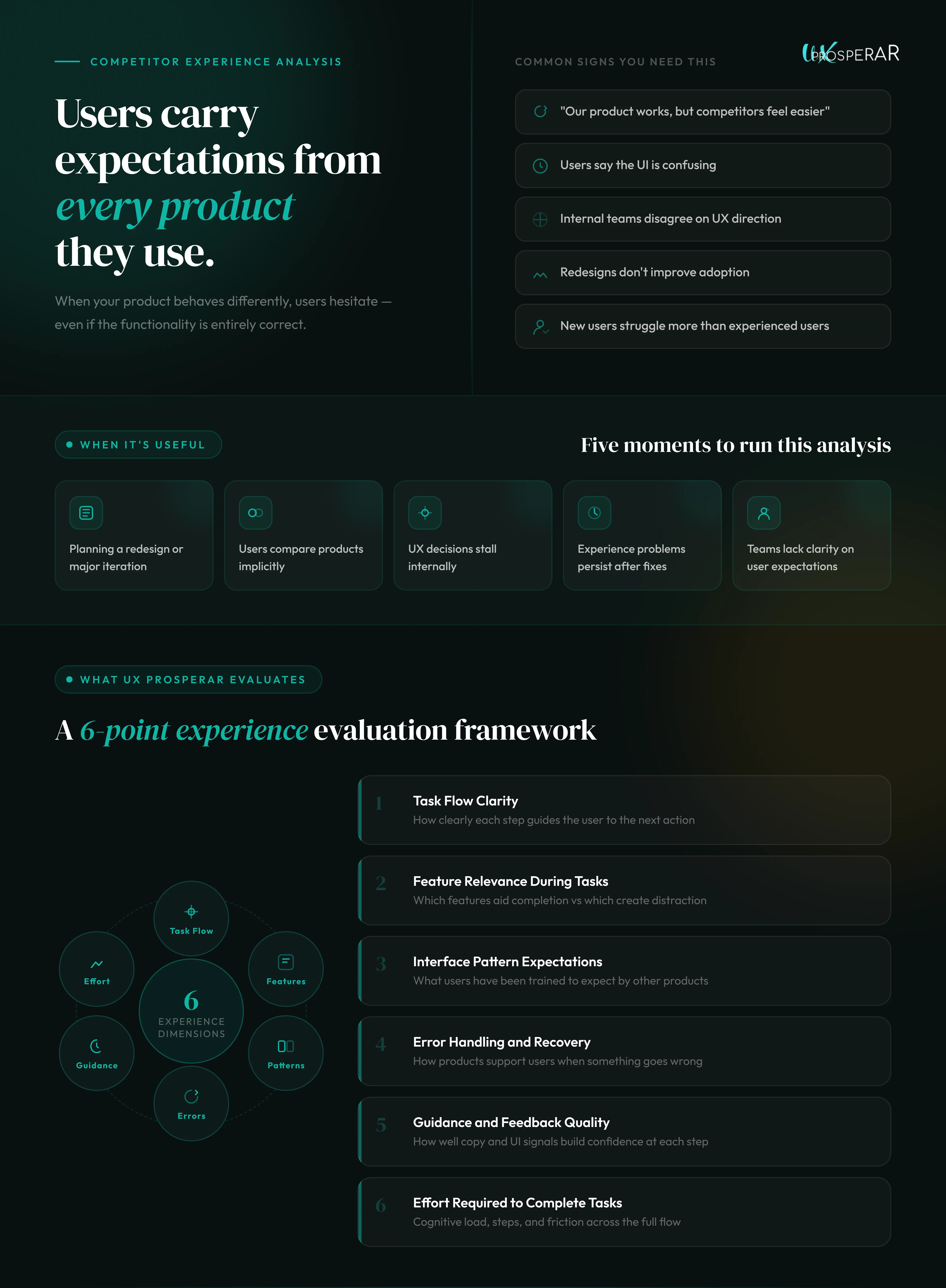
This image explains UX experience analysis methods used to evaluate usability, user expectations, task flow, and interface effectiveness across products.
Everyday UX problems this service helps explain
“Our product works, but competitors feel easier.”
Clarity and sequencing, not functionality, is the difference.
“Users say our UI is confusing, but can’t explain why.”
Their expectations were shaped elsewhere.
“We’re debating UX changes internally.”
There’s no shared external reference point.
“Our redesign didn’t improve adoption.”
Visual updates didn’t address experience assumptions.
“New users struggle more than existing ones.”
Competitor patterns trained them differently.
What this service enables teams to decide
Competitor Analysis helps teams decide:
- which UX changes are necessary versus optional
- where differentiation helps or hurts
- how much guidance users need at key moments
- which experience problems are self-inflicted
- what “good” looks like in the current market
These are design and product decisions, not marketing conclusions.
This service is
- UX and CX–led competitor experience analysis
- Task, flow, and behaviour comparison
- Experience expectation mapping
- Input for UX, product, and design prioritisation
This service is not
- A feature comparison spreadsheet
- A visual design trend review
- A market positioning exercise
- A promise of competitive advantage
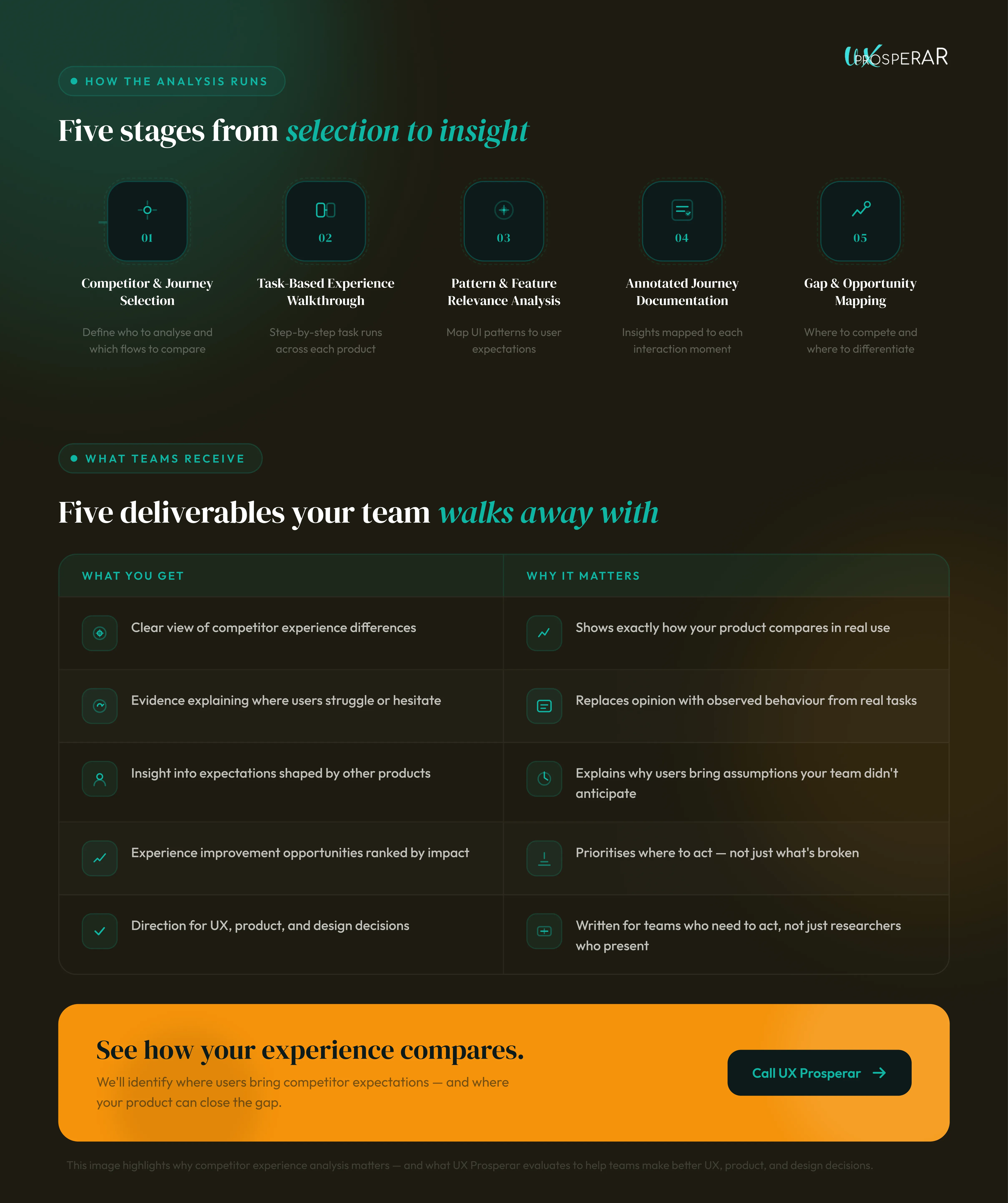
This image highlights why competitor experience matters - and what UX Prosperar evaluates to help teams make better UX, product, and design decisions.
Who this service is designed for
This service is useful when:
- teams are planning a redesign or major iteration
- users compare your product to competitors implicitly
- internal debates stall UX decisions
- experience issues persist despite internal fixes
- clarity on “what users expect” is missing
Applicable to SaaS products, platforms, and complex digital tools.
UX Prosperar brings research-led UX and CX design judgement to competitor analysis.
With 16+ years of experience, 1200+ projects, 100+ brands, and multiple industry recognitions, we have seen how small experience differences between competitors compound into major usability and adoption gaps.
That experience allows us to quickly recognise which competitor patterns truly help users,and which simply look good on the surface,so teams can make informed, confident experience decisions.
Talk to UX Prosperar
If you want competitor insight that goes beyond features and visuals,and actually explains user behaviour, Competitor Analysis can help.
Reach out to UX Prosperar. Share the competitors and journeys you want evaluated. We’ll help define the right scope and next step.