
Introduction to Empathy Maps
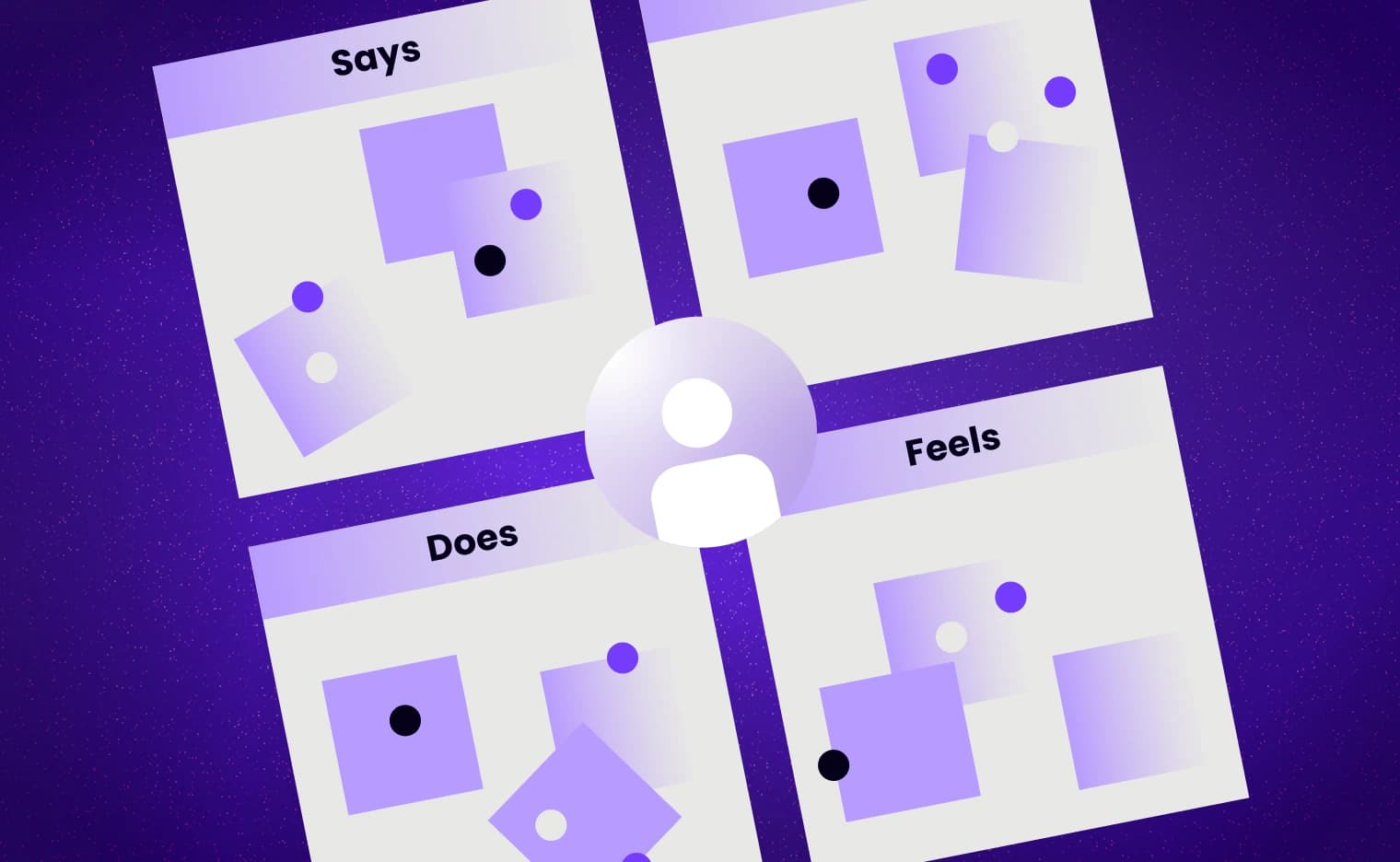
Have you ever wished you could know what someone is thinking, feeling, or doing, so you could build something that truly fits them? That's essentially what an empathy map does. It's a visual tool that captures what a user says, thinks, does, and feels based on research to help designers, product people, and teams see the world through the user's eyes. It's not just about features or flows; it's about the human behind the clicks.
According to the Experts, empathy mapping is "a collaborative visualization used to articulate what we know about a particular type of user. It externalizes knowledge about users in order to 1) create a shared understanding of user needs, and 2) aid in decision making."
Role of empathy in UX/UI and strategic design
Why does this matter for user-centric UX/UI designs and strategic designs? Because without empathy, design can feel hollow, pretty gradients but frustrating usability, or smooth transitions but invisible emotional friction. Empathy maps force you to anchor decisions in real human experience: their feelings, their behaviors, their unspoken thoughts. That makes your design not just look good, but actually work well for the people using it.
Core Components of an Empathy Map
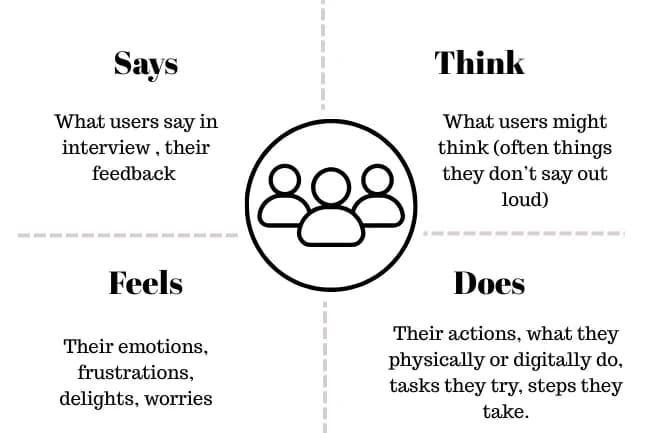
The four quadrants: Says, Thinks, Does, Feels
These are the foundation, the 4 quadrants that virtually every empathy map uses:
- Says: Direct quotes, things users say in interviews or feedback.
- Thinks: What users might think (often things they don't say out loud).
- Does: Their actions, what they physically or digitally do, tasks they try, steps they take.
- Feels: Their emotions, frustrations, delights, worries.
These parts together paint a rich picture of the user mindset. This structure is well established in UX literature.
Additional or alternative sections: Pains, Gains, Sees, Hears
To go deeper, many teams add additional quadrants or layers like pains (what frustrates or blocks the user), gains (what delights or helps them), or what the user sees or hears in their environment. These help bring context: external influences, unmet expectations, or social cues.
How Empathy Maps Promote User-Centric UX/UI Designs
1. Bridging the gap between assumptions and real user insight
A lot of design mistakes come from assumptions. "Users will like this UI animation," "They don't care about loading times," etc. Empathy maps force you to ground those assumptions in user research: what users say & do, what emotions they hide. By holding that mirror, teams can catch misalignments early. NN/g emphasizes that empathy maps are especially useful early on to uncover unknowns and gaps in what the team believes they know.
2. Prioritizing design decisions based on real emotional and behavioral data
Once you know what users are feeling (annoyed, excited, worried), thinking (what's important to them), and doing (where they struggle), you can make choices about which features to build or refine first. User-centric UX/UI designs aren't just about features; they're about features that matter, improving satisfaction, engagement, and retention. Strategic design comes in when you align design priorities with business goals and user pain/gain insights.
Benefits of Empathy Maps in a Strategic Design Context
1. Aligning multi-disciplinary teams
Empathy maps serve as a shared reference across designers, developers, product owners, marketers, and stakeholders. Everyone refers to one artifact of truth about the user. NN/g claims these maps help "educate teammates about users" and ensure alignment.
2. Reducing bias & making design decisions more data-driven
When teams rely on their own views ("I think users prefer...") instead of user research, bias creeps in. Empathy maps demand data: quotes, observed behavior. The process reveals areas where knowledge is shallow, helping teams know where more user research is needed.
3. Improving usability, satisfaction, and retention
Designs that reflect what users think and feel are more usable, more satisfying, and help retain users. Users whose emotional expectations are met are more likely to return. While metrics vary, UX literature supports that meeting emotional and practical needs reduces frustration and increases loyalty. The Interaction Design Foundation highlights that empathy maps can reveal emotional states and unspoken needs that directly affect satisfaction.
When & Where to Use Empathy Maps
• At the start of the project/ideation phase
Early on, empathy maps help define what you know and don't know. They allow teams to align on user understanding, set research goals, and avoid designing blindly. NN/g advises that empathy maps are powerful tools from the beginning of the UX process.
• During research & testing
As you collect interviews, observations, and usability test feedback, you can fill in or update the empathy map in real time. This helps capture shifts in users' mindsets as you iterate. It also helps spot contradictions: what they say vs what they do.
• Post-launch / updates/scaling
Even after launch, new users, changing markets, or feedback can reveal fresh things about users, new frustrations, new desires. Empathy maps should be living documents, updated with ongoing data to keep designs user-centric.
How to Build an Empathy Map: Step-by-Step
1. Gathering qualitative data (interviews, observations, surveys)
Start with good research. Talk to real users. Watch them use your product. Survey them. Record what they say. Also, try to observe what happens without prompting behavior often reveals things people won't mention. Use tools like field studies, usability testing, and diary studies.
2. Sketching / mapping with stakeholders
Once you have the raw data, gather your team (designers, product leads, marketing, and customer support) for a workshop. Use sticky notes or digital boards. For each quote or observation, decide which quadrant it belongs to. Encourage discussion, especially around "Thinks" and "Feels" since those often need interpretation.
3. Extracting needs, insights, & translating them into design requirements
After filling the map, cluster related items, and identifying themes. From contradictions or repeated frustrations, derive needs (what the user must have) and insights (key discoveries). Then translate those into actionable design requirements: features, changes in UI, content, flows, etc. Strategic designs depend on those insights being clear.
Examples / Real-World Use Cases
• Mobile app UX improvements
Suppose your mobile banking app users "say" they want fast transfers, but from testing you see users "do" things like double-check steps due to fear of mistakes (feelings: anxious). Mapping that out helps you prioritize features like confirmation prompts, better error handling, or simpler interfaces.
• Website/content strategy
Empathy maps help content strategists understand user feedback (e.g., users "say" they can't find relevant blog posts, "think" the site is too technical, "feel" intimidated by jargon, "do" leave or bounce quickly). This understanding helps them draft clearer, more approachable content, reorganize navigation, or simplify language.
• B2B / enterprise product design
In enterprise SaaS, users often have complex workflows, pressure, and tight constraints. Empathy maps can reveal that while users "say" compliance is their top concern, they internally "think" speed and ease are more critical. These insights guide product teams on what to focus on in UI (dashboards, onboarding, automation) to align with user needs and business goals.
Conclusion
Empathy maps are more than just diagrams or workshops. They're foundational tools for creating user-centric UX/UI designs and strategic designs that truly resonate. By capturing and reflecting what users say, think, feel, and do, and grounding those observations in real data, teams avoid designing from assumptions. They align around what matters, reveal emotional and behavioral friction, and make decisions more meaningful. When treated as living documents, empathy maps become pillars of products that not just meet needs but make users feel understood, satisfied, and heard.
Common Pitfalls and How to Avoid Them
1. Overgeneralization / too many personas
Trying to use one empathy map for wildly different user types leads to unclear insights. Create separate maps for each persona or user group and avoid merging contradictory data.
2. Using assumptions rather than validated data
Filling "thinks" or "feels" quadrants based solely on team assumptions without research introduces bias and can mislead design. Always back up data with observation or validation.
3. Neglecting emotional / "think/feel" quadrants
Teams often focus on "Says" and "Does" because they are easier to validate. However, neglecting "Thinks" and "Feels" is a pitfall because these are crucial for understanding user motivation and emotional friction. Missing these aspects weakens user-centric UX/UI design.
Empathy Maps vs Other UX/Design Tools
Comparison to Persona
Personas are richer character profiles covering demographics, background, and goals. Empathy maps, in contrast, focus on mindset: how a persona feels, thinks, and behaves in specific contexts. Empathy maps can feed into or enrich personas. Learn more about user segments & personas here.
Comparison to Customer / Journey Maps
Customer Journey maps illustrate steps over time, showing the flow of a user interaction from start to finish. Empathy maps are more focused, offering a snapshot of what the user is doing, thinking, feeling, and saying at a particular moment or during a specific task. Use both tools together for comprehensive depth and breadth.
Story Mapping, Service Blueprints, etc.
Story mapping lays out features by priority or in a user journey sequence. Service blueprints show front-stage/back-stage interactions. Empathy maps are complementary, providing insight into mindset and emotions that inform these other tools.
Advanced Tips for Maximizing the Impact of Empathy Maps
Making them living documents, updating often
Don't file empathy maps away. Revisit and update them frequently based on new user feedback, analytics, or changes in market/user conditions to ensure designs remain aligned with users.
Using aggregate empathy maps
Aggregate multiple individual empathy maps (derived from many interviews or personas) to identify common patterns, which helps in spotting widespread problems or opportunities.
Integrating empathy maps with agile workflows and stakeholder workshops
For agile teams, incorporate empathy mapping into sprint kickoffs or as part of the kickoff for new features. Use workshops or collaborative sessions with stakeholders (including non-designers) to complete maps, fostering shared understanding and ownership of user-centric UX/UI design thinking.